See your AI teammate in action now
Ready to make support faster, kinder, easier and help customers feel good about choosing you?
PS: Sales improves too...
No credit card required
14 days free trial
DIY or Guided setup
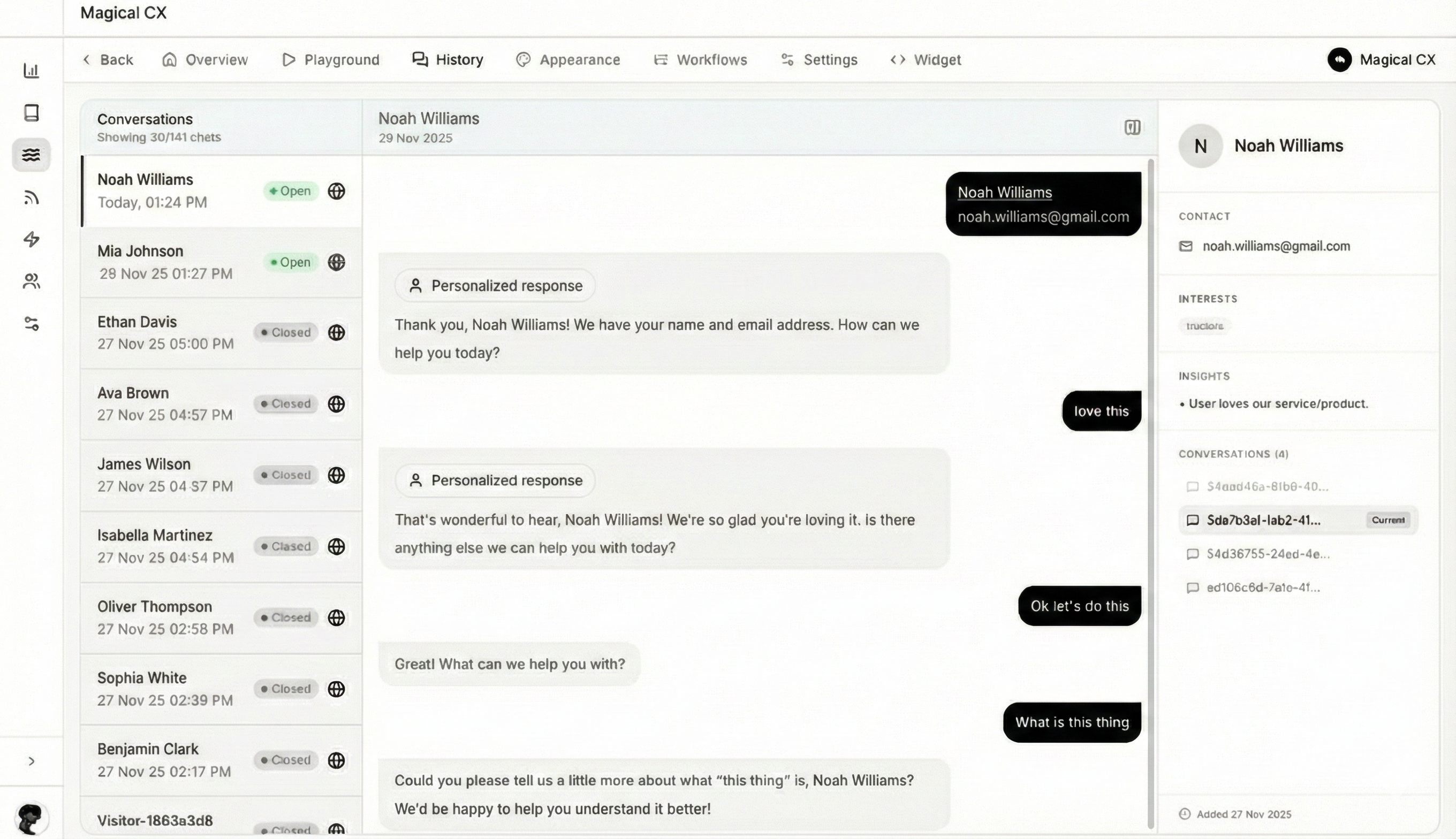
Ready to make support faster, kinder, easier and help customers feel good about choosing you?
PS: Sales improves too...
No credit card required
14 days free trial
DIY or Guided setup
Learn how a customer service automation platform works, covering omnichannel orchestration, AI triage, automated resolutions, agentic actions, workflows, integrations, and KPIs.
Manish Keswani
Summary by MagicalCX AI
A true customer service automation platform can autonomously resolve up to 80% of routine inquiries, boosting first-contact resolution while cutting support costs and freeing agents to focus on complex, high-value cases.
So, what exactly is a customer service automation platform? It's a smart software system that uses AI to take over the repetitive, everyday support tasks that can bog down your team. It handles common questions and manages interactions across all your customer channels.
The whole point is to resolve a huge chunk of issues automatically. This frees up your human agents to focus their brainpower on the tricky, nuanced problems that genuinely need a human touch.
It's easy to hear "automation" and think of a simple chatbot that can only follow a script. But a real automation platform is so much more than that. Think of it as the central nervous system for your entire support operation.
A basic bot is like a self-checkout kiosk at the grocery store—it works for simple transactions, but that's it. A true automation platform is more like a personal shopper who remembers your past purchases, understands your preferences, and anticipates your needs.
These platforms bring all your customer conversations—from your helpdesk email and website chat to your social media DMs and WhatsApp messages—into one place. This creates a single, continuous conversation, giving the AI the full story behind a customer's issue. That complete picture is what separates modern, intelligent automation from the disjointed and often frustrating experiences of older tools.
At its heart, a customer service automation platform is built to do things, not just talk. It makes decisions and executes tasks. A key part of this is its ability to handle incoming customer requests with powerful inbound email automation, making sure every message is sorted and sent to the right place without getting lost in the shuffle.
Here’s a look at what these platforms do in the real world with practical examples:
The goal isn’t to get rid of human agents. It's to make them better. By handling up to 80% of the routine inquiries, automation allows your team to become true experts focused on high-stakes, complex customer situations. This turns your support team from a cost center into a powerful engine for customer loyalty and growth.
Let's get one thing straight: a true customer service automation platform isn't just a glorified chatbot. It’s the central nervous system for your entire support operation, powered by a handful of core capabilities that work in harmony to create smart, efficient, and surprisingly human interactions.
Understanding these pillars is the key. It's how you see automation leap from simply answering questions to actively solving problems for your customers. Each feature builds on the last, creating a system that’s aware of context, capable of action, and always getting smarter.
This map gives you a great visual of how it all connects—pulling in conversations from every channel and intelligently routing them toward the right solution.
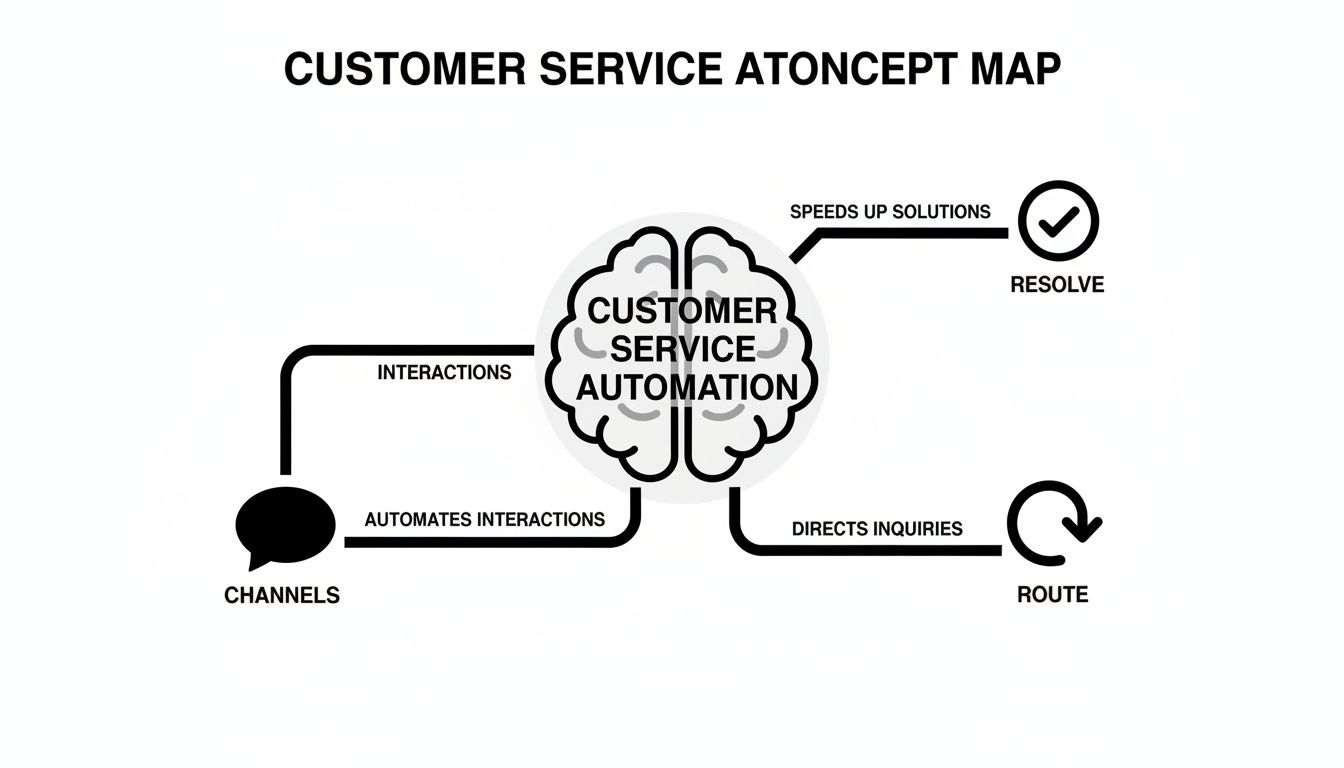
As you can see, it's not about one magic bullet. It's about orchestrating a complete system that works together seamlessly. Let's break down the five essential functions that make this possible.
To make these concepts easier to grasp, think of each capability as a specific team member with a unique skill. Here’s a quick breakdown of what they do and why it matters for your business, with practical examples.
| Capability | What It Is (Simple Analogy) | Business Problem It Solves & A Practical Example |
|---|---|---|
| Omnichannel Orchestration | A universal translator and switchboard operator combined. | Customers get frustrated repeating themselves. Example: A customer chats on your site, then emails a follow-up. The AI treats it as one conversation, and the agent sees the full history instantly. |
| Conversational Memory | A helpful assistant with a perfect, long-term memory. | Generic, impersonal interactions erode trust. Example: A customer who previously had a shipping issue returns. The AI greets them with, "Welcome back! I see we helped with a delivery last time. Is this a new order?" |
| Agentic Actions | A digital assistant who can take direct action in other apps. | Agents waste time on manual tasks. Example: A customer requests a refund. The AI authenticates them, processes the refund in Stripe, and sends a confirmation email, all within the chat window. |
| Guided Workflows | A project manager for complex, multi-step customer journeys. | Inconsistent handling of complex processes. Example: A new SaaS client signs up. The AI automatically sends a welcome packet, schedules a kickoff call via Calendly, and grants them portal access. |
| Self-Learning AI | A star employee who learns and improves from every interaction. | Automation performance stagnates without manual updates. Example: The AI notices that its answer to "How do I install the plugin?" often leads to an escalation. It learns to include a direct link to the setup video instead, reducing escalations by 40%. |
These aren't just features on a checklist; they are fundamental building blocks for creating a support experience that feels both effortless for the customer and incredibly efficient for your team.
Think of this as the ultimate conversation unifier. Your customers don't live in a single channel—they'll start on web chat, send a follow-up on Instagram, and maybe reply to an email. Omnichannel orchestration weaves all those touchpoints into one continuous thread.
So, when a customer starts a chat about a missing package and later emails a photo of their order confirmation, the system sees it as one conversation. No more "Can you give me your ticket number again?" It's a simple concept that completely eliminates one of the biggest sources of customer frustration.
Actionable Insight: Map your customer journey. Identify the top 3 channels your customers use to contact you and ensure your platform can unify conversations across all of them seamlessly. This is your first step to eliminating friction.
Building directly on that unified view, conversational memory gives the platform a perfect recall of every past interaction. It’s the difference between talking to a stranger every time and a helpful concierge who already knows your preferences and history.
Imagine a customer reaches out who had a damaged product on their last order. Instead of a generic "How can I help you?", the automation can proactively ask, "Welcome back! I see we helped you with a damaged item last time. Is this related, or do you have a new question?" This is where automation starts to feel personal and builds real trust.
This capability is crucial. When your system remembers a customer's history, it sends a clear message: we know you, and we value you. It turns a one-off transaction into an ongoing relationship.
This is where automation stops talking and starts doing. Agentic actions are what allow the AI to reach into your other business systems and perform tasks on the customer's behalf. It’s about resolving issues instantly, not just pointing people to a self-serve article.
Here are a couple of real-world examples:
This is the stuff that makes customers say "Wow." Today, the software that enables this kind of AI-powered action holds a dominant 68.20% of the market. And the trend is global—in regions like Asia-Pacific, cloud-based platforms are growing at a 23.8% compound annual rate, largely driven by the boom in e-commerce. You can dive deeper into the data by checking out the customer service software trends on futuremarketinsights.com.
Sometimes, a customer's need isn't a single task but a whole series of steps. Guided workflows are designed to automate these more complex journeys from start to finish. Think of them as a digital project manager for your most common multi-step processes.
A perfect example is new client onboarding. This often involves sending a welcome packet, scheduling a kickoff call, granting portal access, and assigning a specialist. A guided workflow automates that entire sequence, triggered the moment a new contract is signed, ensuring a flawless and consistent experience every single time.
Actionable Insight: Identify your most repetitive multi-step process. Is it onboarding? A complex return? A warranty claim? Document every step and build an automated workflow. This not only saves time but also eliminates human error.
Finally, the best automation platforms aren't static; they get smarter with every conversation. Self-learning AI is the mechanism that allows the system to continuously improve based on real-world outcomes. It’s just like a new support agent who gets better and more confident with experience.
The AI constantly analyzes interactions. If it notices that one particular answer to a question almost always results in the customer asking for a human, it flags that response as ineffective. Over time, it will test new phrasing or different solutions until it finds the approach that actually resolves the issue, reducing the need for you to manually tweak scripts and maximizing its impact.
Bringing in a customer service automation platform isn't just about making things run a little smoother; it's a strategic investment that directly wires into your bottom line. While the core features we discussed create a smarter support system, the real win is measured in tangible results. Done right, automation transforms your support team from a cost center into a powerful engine for growth and customer loyalty.
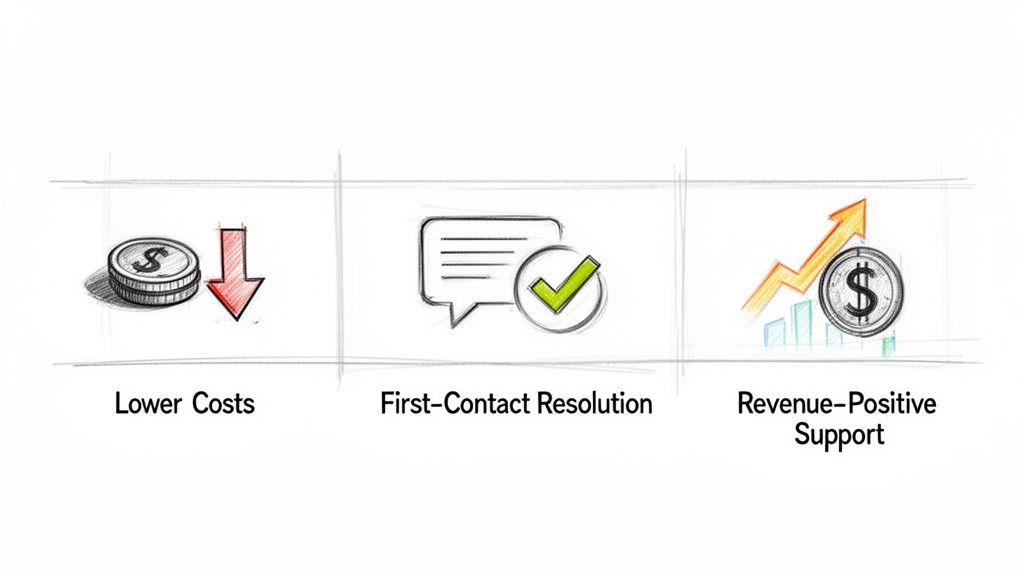
By taking over repetitive tasks, solving problems faster, and even spotting opportunities in customer conversations, the right platform delivers a triple threat of value. It slashes operational expenses, boosts customer happiness with quicker fixes, and turns support chats into revenue-generating moments.
Let's break down how this actually works.
The first and most obvious win is a serious cut in operational costs. Every routine question your platform handles is one less ticket an agent has to touch, which immediately lowers your cost-per-interaction. Just think about the greatest hits your team answers all day: "Where is my order?" or "How do I reset my password?"
These are prime candidates for automation. An intelligent platform can tap into your order management system or user database and give instant, accurate answers 24/7. This frees up your best agents to pour their expertise into the complex, high-value problems that actually require a human brain.
A Practical Example: If handling a live ticket costs your business $5 on average and you automate 10,000 "Where is my order?" queries a month, you've just saved $50,000 monthly, or $600,000 a year, on that one query alone.
First-Contact Resolution (FCR) is a golden metric for any support team. It’s simple: did you solve the customer's problem on the first try, without any follow-ups or transfers? A high FCR is one of the clearest signs of an efficient and customer-pleasing operation.
This is where a true automation platform really flexes its muscles, using capabilities like conversational memory and agentic actions to solve issues on the spot.
By providing immediate, complete solutions, automation cuts out the frustrating back-and-forth that tanks customer satisfaction. It makes sure the first contact is often the only contact needed.
Now for the really exciting part. A modern automation platform can flip the script entirely, turning support interactions into genuine opportunities for revenue. Instead of just reacting to problems, the AI can proactively spot moments to prevent churn, suggest a relevant upsell, or encourage a repeat purchase.
This isn't about pushing a hard sell. It's about using context to make helpful, timely offers that actually benefit the customer. For example, if a customer asks about the warranty on a basic-tier product, the AI can answer the question and then add, "For just $5 more a month, our Pro-tier plan includes an extended warranty and priority support. Would you like to learn more?"
The market impact is undeniable. Large enterprises are projected to make up a 58.86% share of the rapidly growing $50.09 billion AI for customer service market by 2025. They're investing heavily because it pays off. Companies like AirHelp saw a 65% drop in response time by using sentiment analysis to prioritize at-risk customers, allowing them to stop churn and find upsell opportunities. For a deeper dive, check out the AI for customer service market research from polarismarketresearch.com.
Bringing a customer service automation platform into your business isn't just a tech project; it's a fundamental change in how you serve customers. Getting it right depends on a smart, practical roadmap that turns a complex transition into a smooth one and gets you a return on your investment, fast.
The journey doesn't start with software. It starts with a hard look at how you operate right now. A successful rollout means moving carefully from planning to launch—finding the right problems to solve, setting clear goals, connecting your data, and, most importantly, getting your team ready for a new way of working.
Before you can automate anything, you need to know what to automate. Dive into your support tickets and customer conversations. The goal is to find the high-volume, low-effort questions that eat up your agents' day.
Actionable Insight: Export the last 30 days of your support tickets. Create a simple spreadsheet and categorize them by topic (e.g., "Password Reset," "Order Status," "Return Policy"). The categories with the highest ticket counts are your top candidates for automation. Tackling these first gives you the biggest impact with the lowest risk and builds momentum for the whole project. For more ideas on spotting these chances, check out our complete guide to help desk automation.
How will you know if this is actually working? You have to decide on your key performance indicators (KPIs) before you build a single automated workflow. Make sure your goals are specific, measurable, and tied directly to what the business cares about.
Think about metrics like these:
Setting these benchmarks from the get-go gives you a clear finish line. It turns a vague "implementation project" into a focused mission to hit specific targets that prove the ROI to everyone.
Your automation platform is only as smart as the data it can access. One of the most critical steps is planning how it will connect to your existing systems, especially your CRM (like Salesforce or HubSpot), e-commerce platform (like Shopify), and help desk (like Zendesk or Intercom).
When the platform knows a customer’s entire order history, their past support tickets, and what they were just doing on your website, it can provide context-aware, empathetic help. That seamless flow of information is what separates a clunky, generic chatbot from an intelligent digital agent that actually understands where the customer is coming from.
Luckily, most modern platforms are built for this. The industry's big shift to cloud-based tools is a huge help here. In fact, by 2025, SaaS models are expected to make up 64.10% of the massive $51.3 billion customer service software market. This model gets rid of huge upfront costs and can shrink implementation from months down to just a few weeks. You can dig into more insights on the customer service software market on futuremarketinsights.com.
This last step is the most important one: prepare your human agents for the change. You have to frame this new platform not as their replacement, but as a powerful new assistant that will make their jobs better.
Actionable Insight: Run a workshop with your support team. Show them the list of repetitive tickets you identified in your audit and ask, "Which of these are you most tired of answering?" By involving them in the process, you build buy-in and position automation as a tool that frees them up for more meaningful work—solving complex problems and building real relationships with customers. Start with a small pilot group to build confidence and create champions for the new system from within your own team.
So, you’ve invested in a customer service automation platform. That’s a big step. But the real question is, how do you prove it’s delivering value? The proof is in the numbers—specifically, the right Key Performance Indicators (KPIs).
Forget vanity metrics. To build a rock-solid business case, you need to track the KPIs that show tangible improvements to your support operations. Think of it like measuring marketing campaign effectiveness—you need clear data to connect your efforts to real ROI.
Let’s break down the essential KPIs into three critical areas: business efficiency, customer experience, and revenue growth.
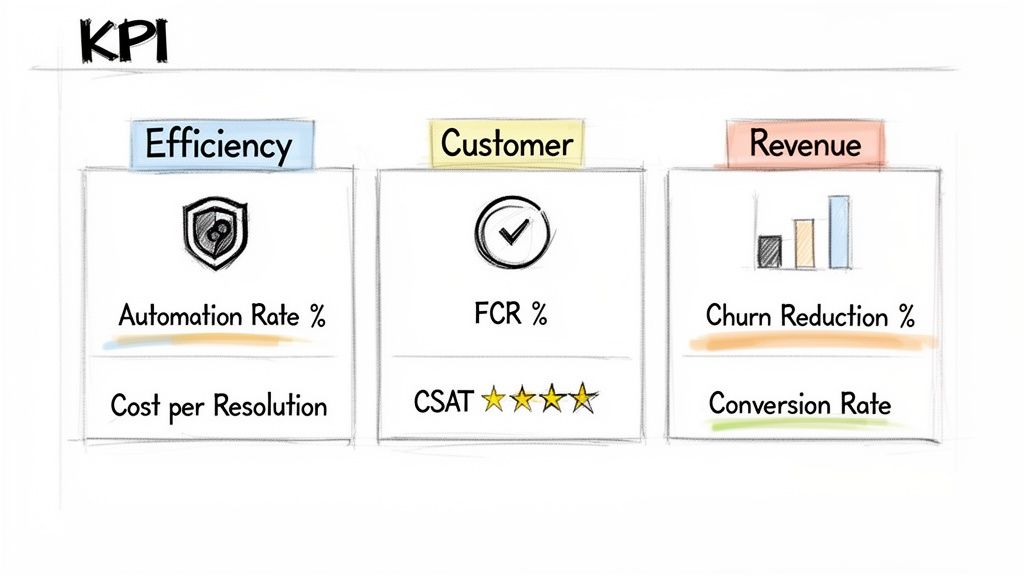
These metrics get right to the heart of productivity and cost savings. They are the bedrock of your business case, showing exactly how automation is lifting the operational weight off your team's shoulders.
Efficiency gains are great, but they’re meaningless if your customers are left frustrated. These metrics act as your quality control, ensuring your automation is a helpful guide, not a robotic gatekeeper.
The real win with automation isn’t just closing tickets faster. It’s about creating better, more satisfying experiences that turn customers into advocates.
This is where you shift the conversation from support as a cost center to support as a growth engine. These KPIs directly link your customer service automation platform to bottom-line business results.
The shift to automation doesn't just improve old metrics—it changes what you measure and why. The focus moves from pure volume and speed to effectiveness, efficiency, and revenue impact.
| Key Metric | Traditional Support Focus | Automated Support Focus |
|---|---|---|
| Resolution Time | Minimizing average handle time for agents. | Achieving instant resolution for common issues. |
| Agent Productivity | Number of tickets closed per agent per day. | Agent capacity freed up for high-value tasks. |
| First-Contact Resolution | Agent's ability to solve on the first call/email. | System's ability to solve without any escalation. |
| Customer Satisfaction | How satisfied customers were with the agent. | How satisfied customers were with the entire journey. |
| Cost Center Focus | Reducing the overall cost of the support department. | Turning support into a revenue-generating channel. |
This table highlights a fundamental mindset shift. With automation, the goal isn't just to do the same things faster; it's to create a more intelligent, scalable, and profitable support ecosystem.
The best kind of automation is the kind your customers never even notice. It doesn't feel like a script, a bot, or a dead end. It just feels… human. That's the whole idea behind an empathy-first approach to automation.
This philosophy isn't about just closing tickets faster. It's about engineering positive, emotionally intelligent conversations. Choosing a customer service automation platform like MagicalCX means you're looking beyond simple, rule-based chatbots. You’re adopting a system that uses sophisticated AI to pick up on nuance, understand customer sentiment, and reply in a way that’s genuinely helpful and personal.
The goal is to make every automated interaction feel as clear, considerate, and on-brand as a conversation with your top human agent.
So, how does a machine show empathy? It's not about fake apologies. It's about designing the system with specific capabilities that keep conversations feeling natural and supportive, even without a person on the other end. It’s about building a system that knows exactly when to solve a problem on its own and when to pass the baton to a human—without ever dropping it.
Here are the key features that make this a reality:
The real magic of an empathetic approach is how it flips the script from a reactive support model to a proactive one. It’s the difference between asking, “How can I help you?” and confidently saying, “I see the problem, and it’s already been taken care of.”
Ultimately, an empathy-first automation platform changes the entire game. It uses its deep understanding of a customer's journey to anticipate their needs, sometimes before the customer even recognizes them.
A Practical Example: An AI notices a customer has visited the "cancellation" page twice in one week. Instead of waiting for them to contact support, it can proactively trigger an email or chat offering help, such as a temporary plan downgrade or a link to a tutorial for a feature they might be struggling with. This proactive step can prevent churn before it happens.
This proactive stance is what builds unshakable brand loyalty. When customers feel truly seen and valued at every turn, they don’t just buy from you; they stick with you. This is especially powerful when automation is built on a foundation of genuine service, a topic we dive into in our guide on the role of empathy in customer service.
Jumping into customer service automation brings up a lot of questions. It’s a big step, and it’s smart to think about what it really means for your team, your customers, and your timeline. Let's tackle some of the most common things we hear from leaders just like you.
This is usually the first question people ask, and it’s an important one. The answer is a hard no. Think of automation not as a replacement, but as a force multiplier for your team. It’s like giving every agent a super-efficient assistant.
This assistant handles all the repetitive, high-volume stuff that bogs people down—the "Where is my order?" and "What's my password?" tickets. This frees up your human experts to focus on the nuanced, complex problems where their skills truly shine, like handling a VIP customer's complex issue or de-escalating a frustrated user. Their job becomes more strategic and less repetitive.
Forget the year-long IT projects of the past. Modern, cloud-based platforms are built for speed. While every setup is a little different depending on what you need to connect, we're typically talking weeks, not months.
The trick is to find a partner who can guide you through a focused launch. You don't need to boil the ocean on day one. By starting with a few high-impact workflows, you can get some quick wins on the board and show value almost immediately.
A smart rollout plan is all about creating momentum. Target your top 3-5 most common questions first. When you can show a clear ROI in the first month, it's much easier to get everyone on board for the next phase.
Absolutely. There's a huge difference between a simple chatbot and a true customer service automation platform. Advanced platforms use something called guided workflows to navigate multi-step problems that require action, not just answers.
It’s one thing to answer a question. It’s another to actually do something.
The best platforms don't just run on a static script; they learn from every single conversation. This is done through self-learning algorithms that are constantly crunching the data from thousands, or even millions, of interactions.
The AI is always watching what works. For instance, if it sees that one of its automated answers almost always results in the customer escalating to a human, it flags that response as a failure. It then starts testing and refining its approach—perhaps by rephrasing the answer or adding a link to a helpful video—until it finds a solution that actually resolves the issue, getting better and more effective all on its own.
Ready to see how an empathy-first approach can transform your support from a cost center into a revenue engine? Discover MagicalCX and learn how to deliver proactive, personalized service that builds lasting customer loyalty. Visit the MagicalCX website to get started.


