See your AI teammate in action now
Ready to make support faster, kinder, easier and help customers feel good about choosing you?
PS: Sales improves too...
No credit card required
14 days free trial
DIY or Guided setup
Ready to make support faster, kinder, easier and help customers feel good about choosing you?
PS: Sales improves too...
No credit card required
14 days free trial
DIY or Guided setup
Manish Keswani
If you want to reduce customer service costs without frustrating your customers, you have to start by figuring out exactly where the money is going. This isn't about across-the-board budget cuts; it's about a surgical strike on the hidden inefficiencies that are quietly draining your resources.
Think of it as a diagnostic. You wouldn't start a treatment plan without knowing the illness, and you can't effectively cut costs until you know the root cause. The goal is to find your most expensive problems so you can tackle them first.
Jumping into cost-cutting without a solid diagnosis is a recipe for disaster. So many leaders get fixated on obvious metrics like Average Handle Time (AHT), but the real story—the expensive story—is almost always buried a layer or two deeper in your support data.
A proper deep dive isn't just an academic exercise. It’s how you build a rock-solid business case for change. When you can walk into a meeting and say, "Our top three contact drivers cost us $250,000 last quarter," you've got the leverage you need to get the budget for a new automation tool, better training, or a much-needed process overhaul.
The first real step is to get your hands dirty with your ticket data, looking at it through a financial lens. Stop just counting tickets and start asking why they exist in the first place. For example, are people constantly confused about your return policy because it's buried on your website? Is a clunky checkout flow generating a flood of "My payment failed" emails? These patterns are where the biggest savings are hiding.
Your analysis should be focused on answering a few key questions:
This simple flowchart breaks down the high-level process I always recommend.
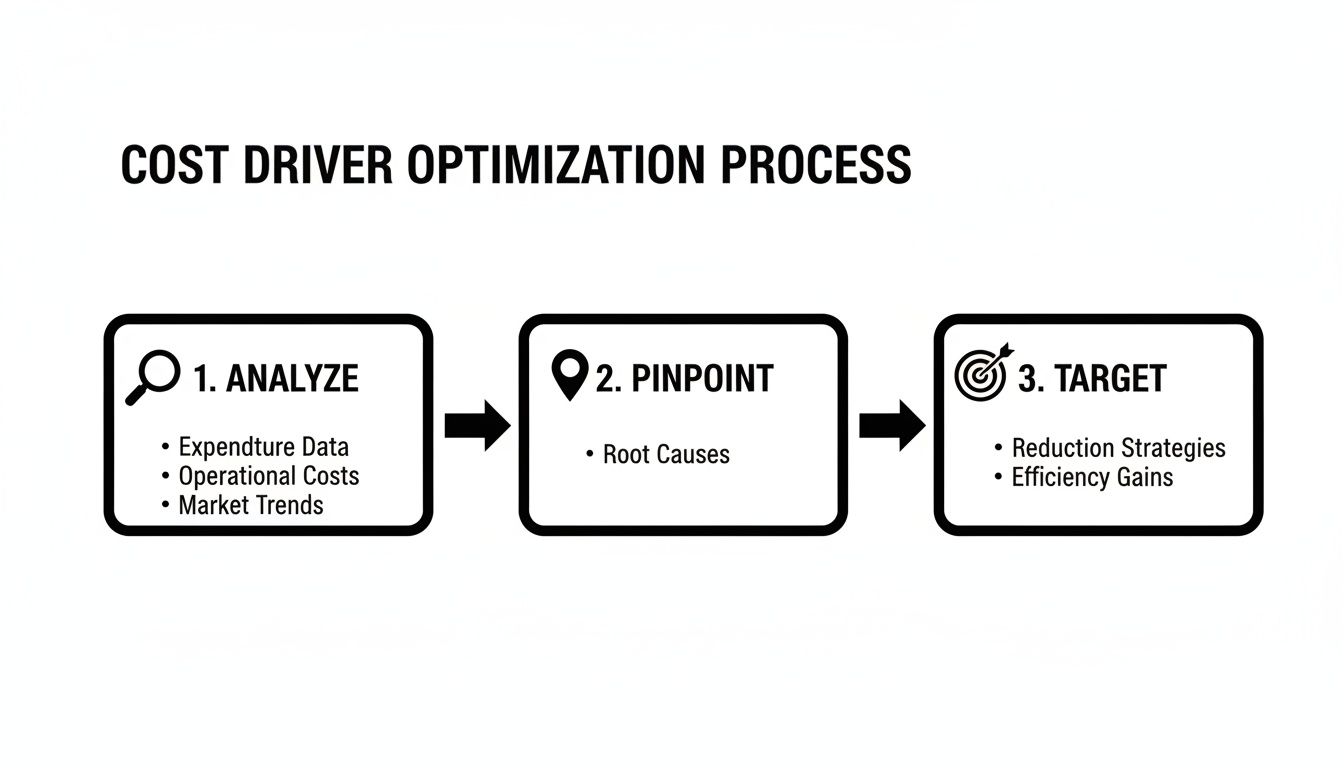
This approach fundamentally shifts your mindset. You stop being reactive, just handling volume, and start being strategic by eliminating the root causes of that volume.
To make this analysis truly powerful, you need to know your cost per contact. And I don't mean just agent salaries. I mean the all-in number.
For a really detailed breakdown of the formulas, our guide on how to properly measure customer service is the best place to start. But a simple, back-of-the-napkin calculation works like this:
(Total Personnel Costs + Operational Costs + Overhead Costs) / Total Number of Resolved Tickets = Cost Per Contact
Let's run a quick, practical example. Say your total monthly support spend (salaries, software licenses, a portion of office rent) is $36,000 and your team closed 12,000 tickets. Your cost per contact is a clean $3.00.
Suddenly, that number gives you incredible clarity. If you discover that 20% of your tickets are "where is my order?" (WISMO) inquiries, you can immediately quantify the damage: that one, simple question is costing your business $7,200 every single month (12,000 tickets * 20% * $3.00).
Now, that project to build a self-service order tracking portal doesn't look like a cost anymore, does it? It looks like a surefire way to save a boatload of money.
Okay, you've categorized your data and you have your cost-per-contact. Now it's time to connect the dots and find your highest-impact targets. The goal is to build a clear picture of what's driving your spend, why it's happening, and how much it's costing you.
Here's a framework I use to help teams organize their thoughts and turn data into an action plan.
This framework helps connect the dots between the metrics you're already tracking and the actionable insights that actually lead to cost savings.
| Cost Driver | Traditional Metric (Example) | Actionable Insight (What to Investigate) | Potential Cost Impact |
|---|---|---|---|
| Product/Policy Confusion | High volume of "How-to" tickets | Is our onboarding confusing? Is the user interface not intuitive? Are our policy pages hard to find or understand? | High (drives significant ticket volume) |
| Poor First-Contact Resolution | High repeat contact rate | Are agents properly trained? Do they have access to the right knowledge base? Is the initial response incomplete? | Very High (paying for the same issue multiple times) |
| Inefficient Internal Processes | High Average Handle Time (AHT) | Where are agents getting stuck? Do they need to toggle between 5 tabs to process a refund? Is the refund process itself overly complex? | High (wastes expensive agent time) |
| Lack of Self-Service Options | High volume of simple, repetitive questions | Could a chatbot answer "What's my account balance?" Should this be in our FAQ? Do customers have a way to track their own orders? | High (prevents costly live interactions) |
| Reactive Communication | Sudden spike in tickets around one issue | Did we fail to notify customers about a shipping delay or site outage? Are we not getting ahead of known problems? | Medium to High (creates preventable ticket floods) |
By filling this out, you move from a vague sense of being "too busy" to a concrete list of problems to solve.
You'll quickly find that the biggest cost drivers are often hiding in plain sight:
By analyzing, pinpointing, and then targeting these specific drivers, you're building a strategy backed by real data. You're not just cutting costs—you're making smart, targeted investments that make your operation more efficient and, more often than not, make your customers happier, too.
Once you’ve got a handle on where the money is going, it's time to start plugging the leaks. This is where smart automation and self-service come in, and they are easily the most powerful levers you can pull to cut customer service costs.
I have to stress the word smart. Just throwing a cheap, generic chatbot on your website is a recipe for disaster. It’ll just frustrate people and probably create more work for your team.
The real goal here isn’t about replacing your human agents. It’s about strategically offloading the repetitive, high-volume tasks that eat up their day. For example, by empowering customers to reset their own passwords, you free up your best agents to tackle the complex, high-stakes conversations where a human touch really matters. This is how you lower your cost-per-interaction and often make customers happier in the process.
The golden rule of automation is to go for the low-hanging fruit first. Your data dive should have given you a crystal-clear picture of the most common, simple questions your customers ask. Those are your prime targets.
Look for inquiries that are:
So many companies make the mistake of trying to boil the ocean and automate everything at once. Don’t do it. Pick one or two high-impact areas, build a genuinely helpful self-service solution for them, and nail it. A quick win builds momentum and gets everyone on board for what comes next.
A truly effective self-service strategy isn't just one tool; it's a few key components working in harmony. You want to create multiple paths for customers to get help without ever having to contact an agent. The right mix here is what drives serious ticket deflection.

As you can see, a clean, user-friendly interface is non-negotiable. If customers can't easily find the search bar or navigate the options, they'll just give up and call you anyway.
Launching these tools is just the beginning. You have to measure their impact to prove the ROI and make the case for doing more. The data here is pretty compelling. Companies that roll out virtual customer assistants can see up to a 70% nosedive in calls, chats, and emails. From an operational standpoint, the numbers are just as good: some teams report an 87% drop in average resolution times and a 45% reduction in call handling times.
The true test of your self-service isn't just ticket deflection. It's whether customers leave the interaction feeling like they got what they needed, without any hassle. A great automated experience feels invisible and effective, not like a barrier to getting help.
To keep your finger on the pulse, you need to track a few key metrics:
Watching these numbers closely tells you what's working and where you need to fine-tune your approach. Getting this ecosystem right often means exploring different customer experience management tools that can help orchestrate all these moving parts.
Ultimately, by building a system that lets customers help themselves, you’re doing more than just cutting costs—you’re building a more resilient and scalable support operation for the long haul.
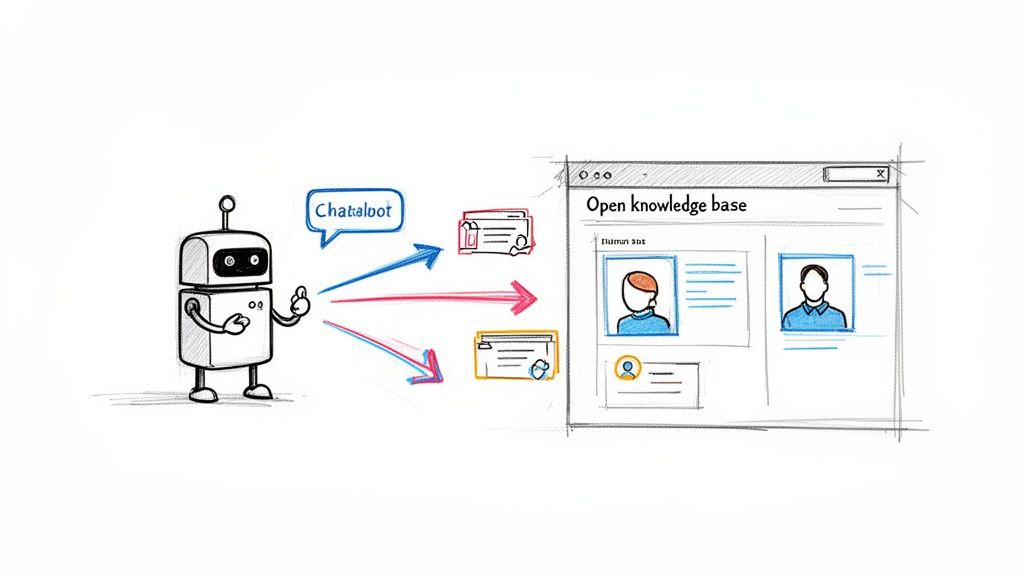
While smart self-service is great for deflecting the easy questions, the real magic of AI happens when you use it to make your human agents faster, smarter, and more effective. We're not talking about replacing people; we're talking about giving them superpowers.
Modern AI isn't just a fancy FAQ. It can grasp the subtleties of what a customer actually means, detect frustration in their tone, and feed your agents the exact right information at the exact right moment. This partnership between human and machine is how you seriously reduce customer service costs without the quality of your support taking a hit.
Think about all the little things that eat up an agent's day. They spend so much time just categorizing tickets, toggling between five different tabs to look up an order, and then typing out a summary of the conversation. That "wrap-up time" is a quiet killer of productivity.
This is where AI can step in and immediately clear the decks, letting your team focus on what they do best: talking to customers and solving problems.
By automating these small but incredibly time-consuming tasks, you can shave precious seconds—or even minutes—off your Average Handle Time (AHT) on every single ticket. Across a team of agents handling thousands of interactions, those savings compound at an astonishing rate.
Of course, a sophisticated AI platform isn't free. To get the budget approved, you have to talk the language of the C-suite: Return on Investment (ROI). Luckily, the business case for AI in customer service is one of the strongest and simplest you can make.
The argument is straightforward: the technology pays for itself by making your existing team dramatically more productive. You're not just adding a software license; you're multiplying the output of your most valuable (and expensive) resource—your people.
A well-planned AI rollout can directly reduce customer service costs by 25-30% through pure operational savings. The ROI story is even better, with some organizations seeing a return of up to 7.5x their initial investment. For every $1 you spend on the right AI tool, you can see $3.50 or more come back in efficiency gains alone.
To get that executive buy-in, you'll need to build your own business case with a simple ROI calculation.
First, you need to know your numbers. Get a clear picture of your baseline metrics before you flip the switch on any AI tools. From there, you can project some realistic improvements.
Example ROI Calculation Template
| Metric | Current State (Monthly) | Projected State with AI | Monthly Savings |
|---|---|---|---|
| Agent Hours on Summaries | 250 hours (@ $20/hr = $5,000) | 25 hours (90% reduction) | $4,500 |
| Average Handle Time (AHT) | 8 minutes | 6 minutes (25% reduction) | $15,000* |
| Total Tickets Handled | 10,000 | 10,000 | - |
| AI Platform Cost | $0 | -$5,000 | -$5,000 |
| Net Monthly Savings | $14,500 |
This is a simplified calculation based on increased agent capacity and efficiency.
When your agents can resolve issues faster and handle more interactions per hour, you can grow your customer base without having to constantly hire more staff. That hits the bottom line directly.
Beyond the hard numbers, don't forget the softer benefits. When you remove the most tedious and frustrating parts of the job, your agents are happier. Happier agents stick around longer, which cuts down on agent churn—a massive hidden cost for most support organizations. Our guide to unlocking growth with AI customer service solutions dives much deeper into these financial and operational benefits.
Ultimately, focusing on agent efficiency turns AI from a simple cost-cutting tool into a strategic asset for building a more empowered, effective, and sustainable support team.

Even with brilliant automation, your human agents are still the heart of your support operation—and often, your biggest line item. This is where getting your team structure right becomes a massive lever to reduce customer service costs. The single most powerful metric you should be obsessing over here is First-Contact Resolution (FCR).
Every follow-up email, every repeat call, every "let me look into that and get back to you" is a direct hit to your budget. An issue that could have been handled in one touch now takes two or three, each one eating away at your margin. Getting it right the first time isn't just a win for the customer; it's a huge win for your bottom line.
One of the biggest killers of FCR is information chaos. When an agent has to toggle between your CRM, your order platform, and your billing software just to piece together a customer's story, resolution time screeches to a halt. The customer gets annoyed repeating themselves, and the agent burns precious minutes on detective work instead of problem-solving.
This is where a unified customer view becomes a total game-changer. It’s all about integrating your systems so one screen gives your agent the full picture:
With this information at their fingertips, agents can diagnose issues in minutes, not hours. The conversation shifts from "Can you give me that order number again?" to "I see the problem with your last order; let's get that sorted out for you right now."
Let's be honest: not all problems are created equal. A simple password reset shouldn't tie up your most senior technical expert, and a complex product bug shouldn't land in the lap of a new hire on their first day. A tiered support model routes issues to agents with the right skills, which is a classic—and highly effective—way to reduce customer service costs.
A typical setup looks something like this:
This system stops your most expensive talent from getting bogged down in simple queries and gets customers with tough problems to an expert much faster.
Improving your FCR does more than just trim your operational budget. It directly protects your revenue by stopping customer churn in its tracks. Nothing sends a customer running to a competitor faster than failing to solve their problem efficiently.
The numbers are staggering. Recent analysis shows that 67% of customer churn is preventable if businesses just resolve the customer's issue during the first interaction. In the U.S. alone, companies bleed an estimated $75 billion a year due to poor service. That’s a direct hit from lost sales and departing customers. You can dive deeper into these self-service statistics and see how they impact retention.
This data highlights a crucial point. Investing in your team's effectiveness and FCR isn't just a cost-saving measure for the support department; it’s a strategic move to protect the financial health of the entire company.
Forget generic, one-size-fits-all training sessions. The best way to improve is to use your own data to deliver targeted, high-impact coaching. Dig into tickets with low CSAT scores or those that required multiple follow-ups. What went wrong? Was the agent missing a key piece of information? Did they misdiagnose the root cause?
This data-driven approach turns coaching from a vague art into a precise science. For example, if an agent consistently struggles with questions about your refund policy, a focused 15-minute session on that specific workflow will do more for their performance—and your FCR rate—than a day-long seminar on general customer service skills.
Getting a new tool or process across the finish line feels like a victory, but it's really just the starting point. The organizations that truly master efficiency understand that reducing customer service costs isn't a project you complete. It's a perpetual cycle of testing, learning, and refining. Building this mindset into your team's DNA is what separates a temporary dip in spending from long-term, sustainable gains.
This requires a real shift in perspective. Instead of just reacting when budget pressures mount, your team starts proactively hunting for small improvements that add up over time. The goal is to create a system where efficiency and an amazing customer experience are seen as two sides of the same coin, not opposing forces.
To steer this ongoing effort, you need a solid dashboard of Key Performance Indicators (KPIs). These aren't just for tracking expenses; they're the vital signs of your entire support operation. They tell you if your cost-saving initiatives are actually working or if you're just kicking problems down the road and frustrating customers.
A good KPI dashboard should have a balanced mix of efficiency and quality metrics:
Watching these metrics together keeps you honest. A lower Cost-Per-Resolution is only a real win if your CSAT and FCR numbers are holding strong or, even better, improving alongside it.
One of the biggest mistakes I see teams make is going all-in on a big, unproven strategy. When a massive change backfires, it's not just costly to undo; it can seriously damage trust within your team and with your customers. The much smarter play is to run small, controlled pilot programs to test new ideas on a limited scale.
For instance, before you unleash a new AI chatbot on your entire customer base, test it with a specific segment. Maybe you only activate it on your checkout page or for new customers inquiring about shipping. This lets you gather real-world data and iron out the kinks in a low-risk environment.
Pilot Program Best Practice: Define what success looks like before you start. For that chatbot pilot, success might be defined as achieving a 40% automated resolution rate for shipping questions while maintaining a CSAT score of 85% or higher within that test group.
This approach arms you with hard data to build a business case for a wider rollout. It changes the conversation from "I think this will work" to "Our pilot proved a 15% reduction in handle time for this issue, and we can now confidently project the company-wide savings."
Your frontline agents are an absolute goldmine of insight. They talk to customers all day, every day. They're the first to know when a process is clunky, a knowledge base article is confusing, or a new tool just isn't cutting it. Creating a formal system to capture and act on their feedback is crucial for continuous improvement.
Set up a simple, clear channel for agents to share what they're seeing. This could be a dedicated Slack channel (#process-improvements), a weekly team huddle focused on efficiency wins, or a simple form they can submit.
But here’s the most important part: leadership has to prove they're listening by acting on that feedback. When an agent points out that the return process forces them to jump between three different systems, and leadership responds by kicking off a project to integrate them, it sends a powerful message. It shows everyone that their voice matters and they're part of the solution.
That kind of proactive, collaborative environment is the true engine of sustainable cost optimization. It fosters a culture where the entire organization is aligned on the dual goals of efficiency and excellence.
Even with the best-laid plans, making a big strategic shift to cut costs is going to stir up some questions. It’s natural. Your team will worry about what this means for customer relationships, and you’ll want to be absolutely certain you’re taking the right first steps.
Let's tackle some of the most common questions I hear from leaders when they get serious about getting their service costs under control.
This is almost always the first question asked, and for good reason. The short answer is: no, not if you do it right.
The goal isn't to build a digital fortress that traps customers in a loop of automated responses. It’s about being smart and automating the right things.
Think of it this way: automate the transactional, not the relational.
When a customer just wants to know "Where's my order?" or needs to reset their password, a good bot is actually a better experience. It's faster and available 24/7. Nobody wants to wait on hold for 10 minutes for a 30-second answer.
This approach actually makes your customer experience better in two huge ways:
When your automation strategy includes a clear, one-click "talk to a human" button, it stops feeling like a barrier and starts feeling like an efficient front door.
Before you even think about shopping for new software, your first move is to diagnose your cost drivers. You can't fix what you don't understand. You need to know exactly where the money is going.
This means getting your hands dirty and digging into your support ticket data. What are the top 5-10 reasons customers contact you? Which of those are the most time-consuming for your team to resolve? For example, your data might show that 30% of all emails are about your return policy.
Once you have that insight, calculate your true cost-per-contact. You’ll quickly see which interactions are draining your budget. This data-driven approach stops you from chasing shiny objects and points you directly to the biggest opportunities. In this case, the fastest win is improving your self-service returns portal or rewriting your returns FAQ to be crystal clear.
Getting budget for new tools always comes down to building a rock-solid business case. Forget vague promises; you need to speak the language of ROI. It’s actually pretty straightforward.
A simple formula like (Cost Savings + Revenue Gains) / Technology Cost = ROI turns your request from an "expense" into a strategic investment. It’s how you get the green light.
Ready to see how an empathy-first AI can help you reduce customer service costs while delighting customers? MagicalCX combines advanced automation with a human touch to resolve issues, save sales, and create loyal fans. Learn more about MagicalCX and see how our platform can transform your support operations.